WordPress 7.2 Beta 1 came out on 20 October 2026, and the final release is planned for 8 December 2026. This is the last big WordPress update of the year, and it brings better responsive design controls, a smarter Notes feature, faster image uploads, new design tools and a new Secrets API for developers.
Here is what is coming, what it means for your website, and how to test it safely before December.
WordPress 7.2 at a glance
- Release date: 8 December 2026 (planned)
- Beta 1: 20 October 2026
- Main new features: responsive design controls, Notes in the margin, in-browser image processing, text shadows, form styling and a faster admin
- For developers: new Secrets API, plus Abilities, Interactivity and HTML API updates
- Should you install the beta? Only on a staging or test site, never on a live site
WordPress 7.2 release date
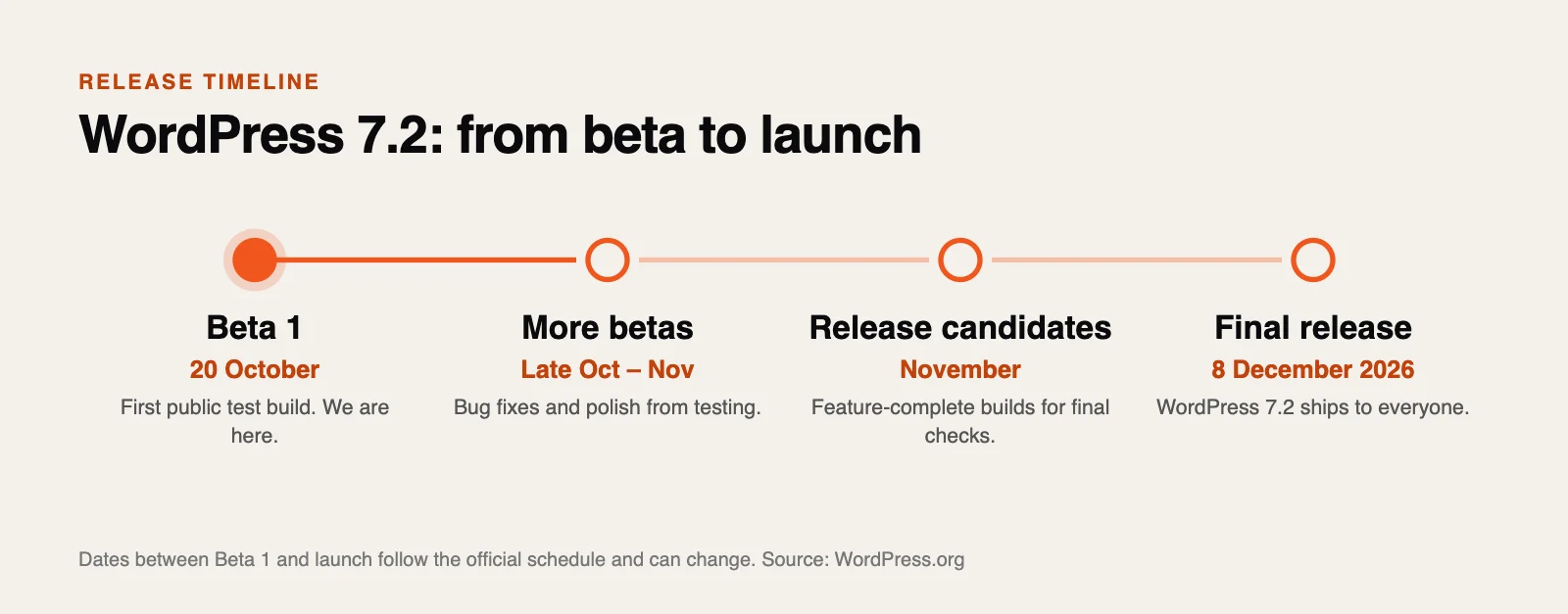
The WordPress 7.2 release date is 8 December 2026. Beta 1 arrived on 20 October 2026, and more betas and release candidates will follow in November so the community can find and fix bugs before launch. Dates between Beta 1 and the final release can move, but 8 December is the official target.
Is WordPress 7.2 Beta 1 safe to install?
A beta is an early test version. It lets developers, agencies and site owners try new features and report bugs before the final release. The WordPress team is clear on this point: do not install Beta 1 on a live website. Use a staging copy or a local test site instead. More betas and release candidates will follow over the coming weeks before the 8 December launch.
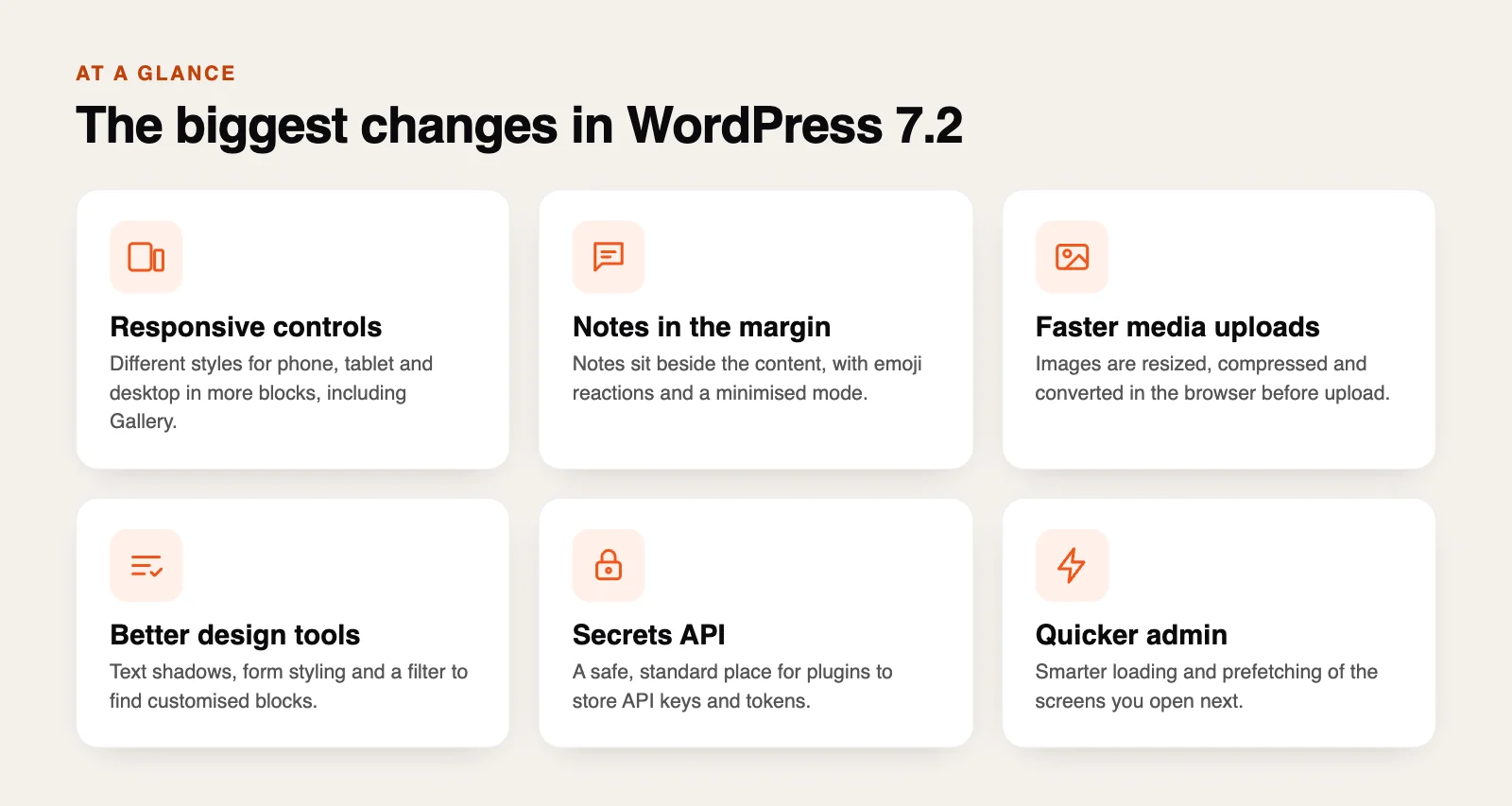
WordPress 7.2 new features: the biggest changes
1. Responsive design controls in more blocks
WordPress 7.1 started letting you style blocks differently for phone, tablet and desktop. WordPress 7.2 takes this further and adds it to more tools and blocks. The Gallery block, for example, gets responsive settings for the number of columns, image cropping and aspect ratio. In simple terms, you can make a page look right on every screen without extra plugins or custom code.
2. Notes move into the margin
Notes are WordPress’s built-in way for a team to leave feedback on a page or post. In 7.2, Notes sit in a margin beside the content, so you can see the comment next to the paragraph it is about. You can react with emojis, keep Notes open alongside the block settings, and switch to a minimised mode when you want a cleaner screen. A “suggestion mode” for proposing edits has been moved to WordPress 7.3.
3. Faster image uploads
The Media Library can now resize, compress and convert images in your browser before they are uploaded. That means smaller files, less work for your server and better support for modern image formats. For sites with lots of photos, this should make uploads quicker and pages lighter.
4. New design tools
- Text shadows: new controls in the block settings, with presets themes can define in
theme.json. - Form styling: form elements can now be styled from Global Styles.
- “Customised” filter: quickly find the blocks whose styles have been changed from the default.
- Inherited values: the settings panel now shows which values come from Global Styles, so it is easier to see why a block looks the way it does.
- Easier menus: add, organise and edit navigation items from the Site Editor sidebar.
5. A quicker admin area
Admin scripts and styles now load as separate files instead of large combined bundles, which helps the browser cache them. WordPress also prefetches the screen you are most likely to open next, such as the post list or the editor, so moving around the dashboard should feel faster. If speed matters to you, see our WordPress Core Web Vitals guide as well.
6. Smaller touches
- A new “On This Day” dashboard widget shows posts you published on the same date in earlier years.
- Clearer error messages and more helpful feedback while editing.
- The old Dashicons in the admin bar and sidebar are replaced with icons from the WordPress icon library.
- A new block settings panel built on DataForm is being tested.
WordPress 7.2 for developers: Secrets API and more
- Secrets API: a standard, secure way for plugins to store API keys and tokens, with encryption at rest, key rotation and support for custom storage providers. This is a big step forward for site security, because many plugins store keys in the database today.
- Abilities API: new ways to access and query WordPress data.
- Interactivity API: new options for rendering trusted HTML and managing reactive navigation.
- HTML API and block supports: better markup processing and better tools for styling custom blocks across screen sizes.
- Random post URL: a dedicated URL that sends visitors to a random post.
What WordPress 7.2 means for your website
| If you are… | What to do before 8 December |
|---|---|
| A site owner | Nothing on your live site yet. Make sure your backups work and plan to update after the release. |
| An agency or freelancer | Test your main client themes and plugins on a staging copy with Beta 1. |
| A plugin or theme developer | Test now, report bugs, and look at the Secrets API for storing keys. |
| A WooCommerce store | Test checkout, payments and product pages on staging before you update the live store. |
How to test WordPress 7.2 Beta 1 safely
- Use a copy, never your live site. Create a staging site with your host, or use a local tool.
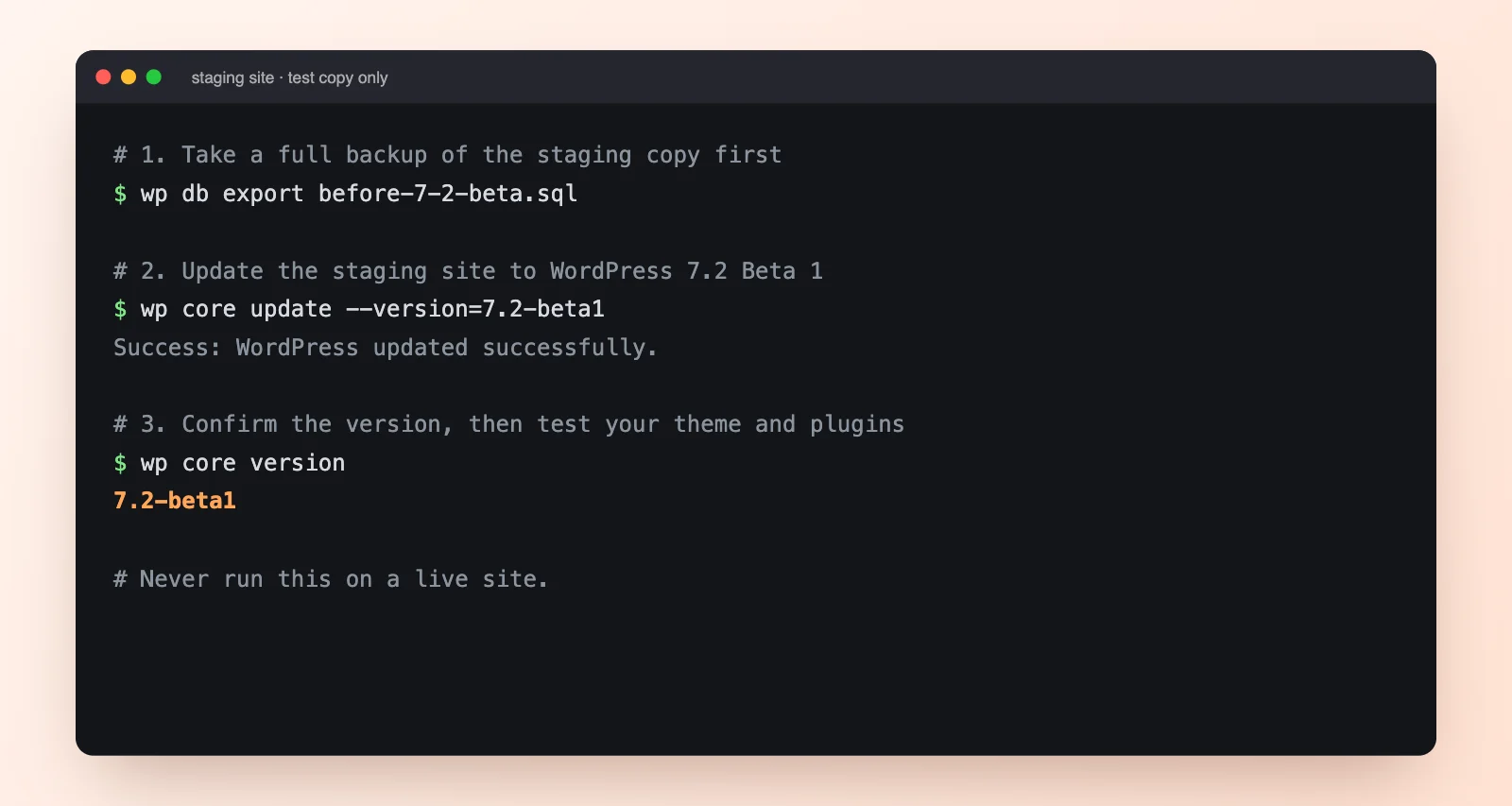
- Take a backup of the staging copy first.
- Pick one way to install the beta: the WordPress Beta Tester plugin (choose the “Bleeding edge” channel and “Beta/RC Only” stream), the zip from WordPress.org, WP-CLI with
wp core update --version=7.2-beta1, or a free WordPress Playground in your browser with no setup. - Test what matters: your theme, key plugins, forms, checkout and any custom blocks.
- Report problems in the Alpha/Beta support forum or on WordPress Trac.
Should you update to WordPress 7.2 on launch day?
For most business websites, the safest plan is to wait a few days after 8 December, check that your theme and main plugins support 7.2, take a backup, and then update. Minor security releases (like 7.2.1) should always be installed quickly. Keep in mind that WordPress also relies on PHP, so check your PHP version too. We explain why in our guide to the critical PHP2Shell security patch.
WordPress 7.2 FAQs
What’s new in WordPress 7.2?
WordPress 7.2 adds responsive design controls in more blocks, Notes in the margin with emoji reactions, in-browser image resizing and compression, text shadows, form styling, a faster admin area and a new Secrets API for developers.
When will WordPress 7.2 be released?
The final release is planned for 8 December 2026. Beta 1 came out on 20 October 2026, with more betas and release candidates in between.
Can I install WordPress 7.2 Beta 1 on my live site?
No. Beta versions are for testing only and may have bugs. Use a staging site, a local site or WordPress Playground.
Will WordPress 7.2 break my plugins?
Most well-maintained plugins should work, but that is exactly why the beta exists. Test your key plugins on a staging copy before December.
Is suggestion mode in Notes part of WordPress 7.2?
No. Notes in the margin and emoji reactions are in 7.2, but suggestion mode has been moved to WordPress 7.3.
What is the Secrets API?
A new developer feature that gives plugins a secure, standard place to store sensitive details like API keys and tokens, with encryption and key rotation.
Need help getting ready for WordPress 7.2?
We build and look after WordPress websites for businesses every day. If you want your site tested on a staging copy before the update, or you would like us to handle the update for you, get in touch. New to the platform? Read why use WordPress.
Sources: WordPress 7.2 Beta 1 announcement (WordPress.org), Gutenberg Times. Features in a beta can still change before the final release.